Unified search for your files and Microsoft 365.
Stop jumping between File Explorer, browser tabs, and SharePoint to find the same document. SearchPoint searches local folders, OneDrive, and site libraries in one place.
Related files, Q&A with citations, email and chat: same bar, when your connectors are on.
More than a search box
One query surface for content that usually sits in different apps.
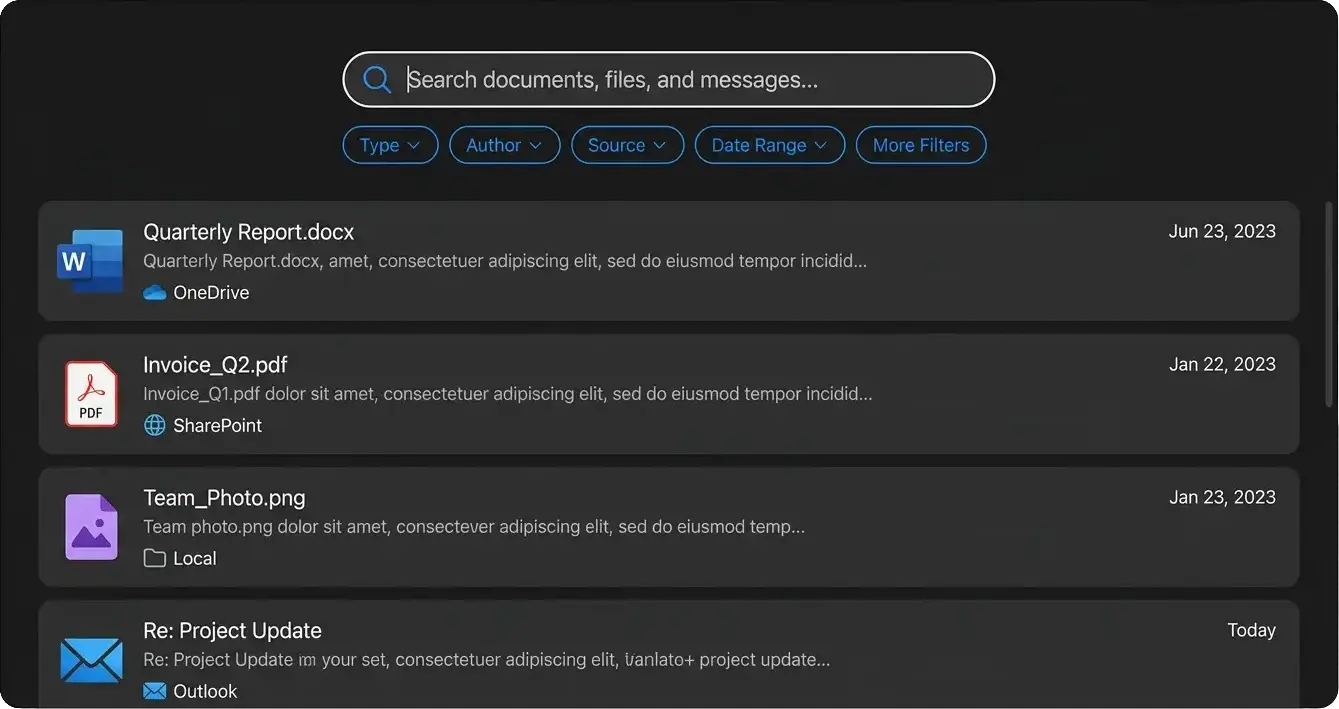
Search across PCs and cloud
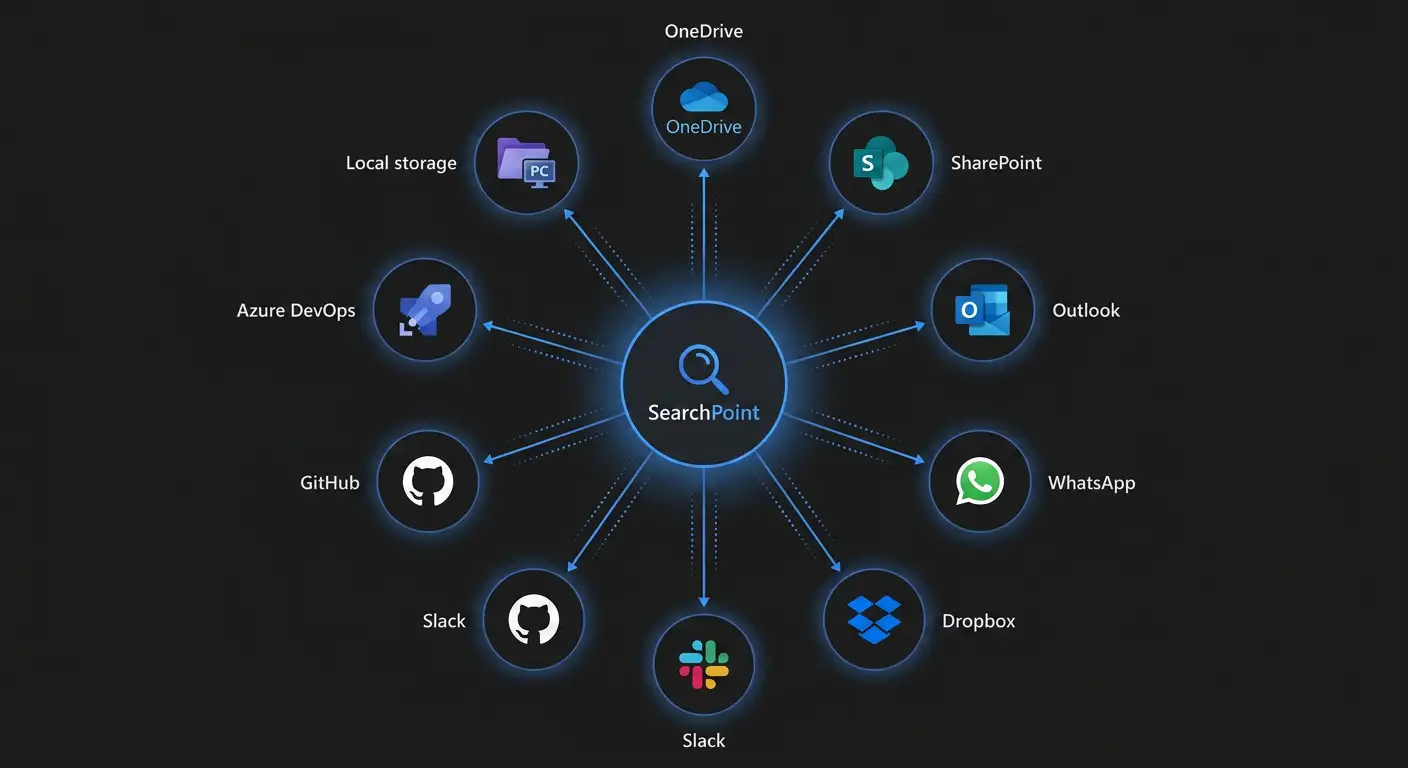
One search across local folders, OneDrive, SharePoint, and—when you connect them—mail and messaging, instead of hopping between File Explorer, browser tabs, and Outlook for the same answer.
Find the files you need quickly with filters such as type, author or sender, source (which library or account), date range, and other facets so you can land on the exact item fast.
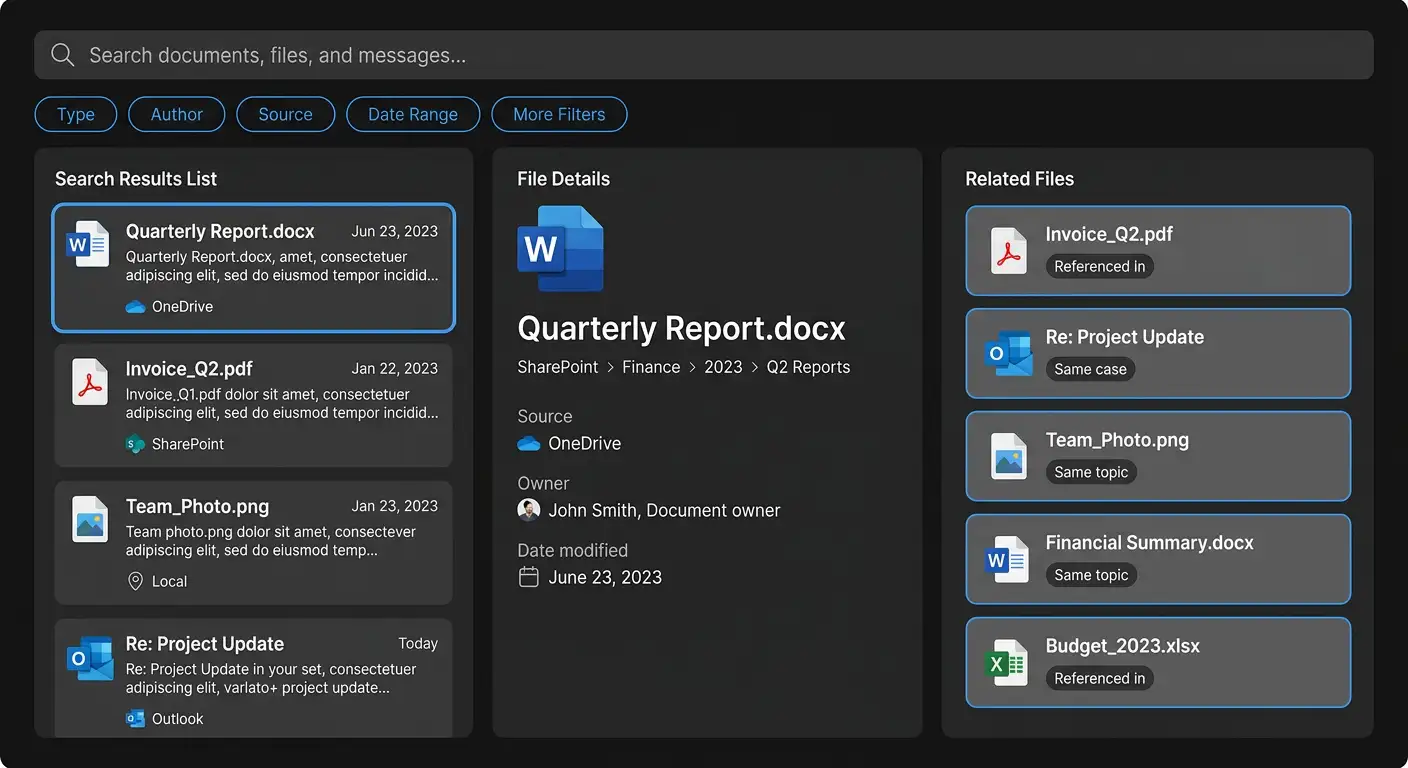
Related context next to the hit
Related files surface next to each hit so you see how they connect—same case or topic, and what else is worth opening for context.
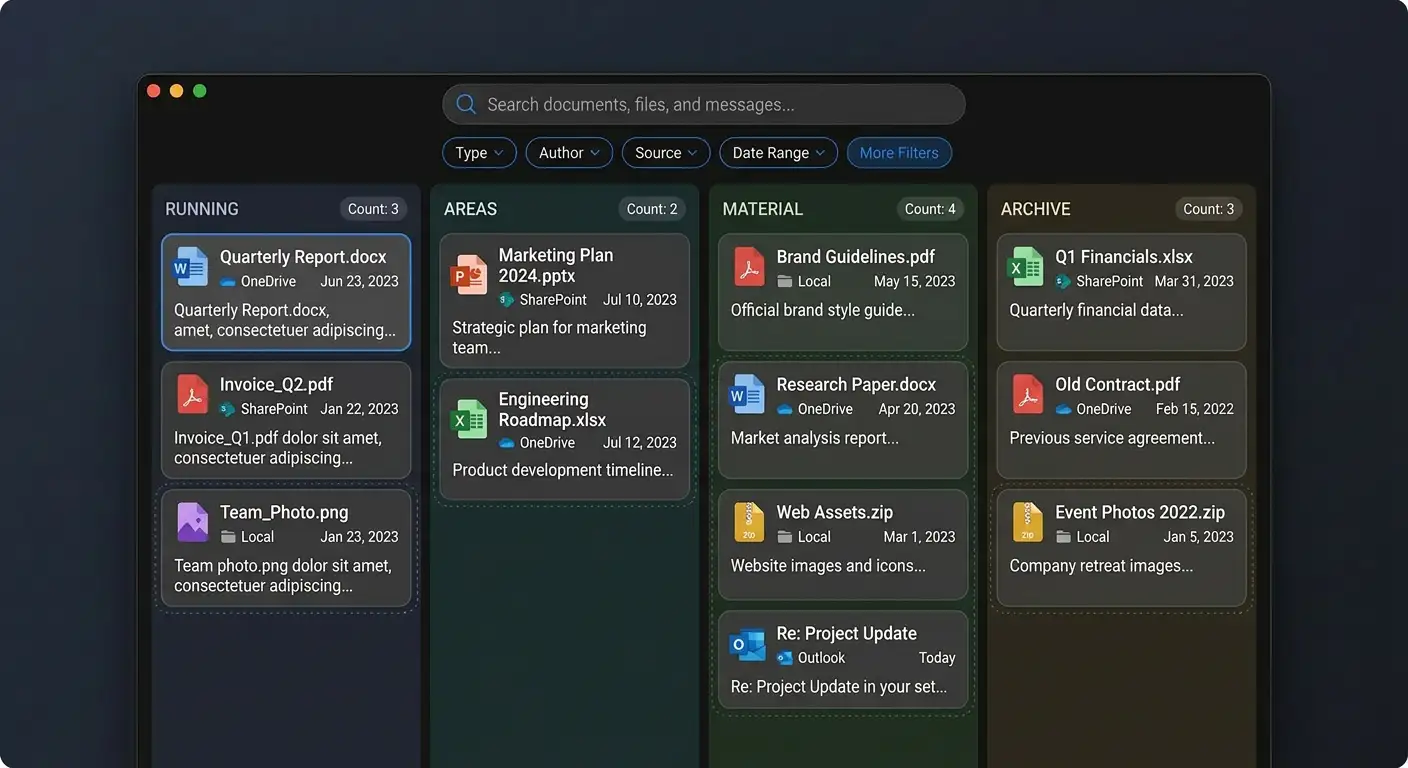
Automatic organization
SearchPoint automatically groups files, notes, and messages into the work you are RUNNING right now, the AREAS you own and responsible for (marketing department, engineering team, etc), MATERIAL that is useful, you find interesting, and worth keeping on hand, and an ARCHIVE lane for what is no longer relevant.
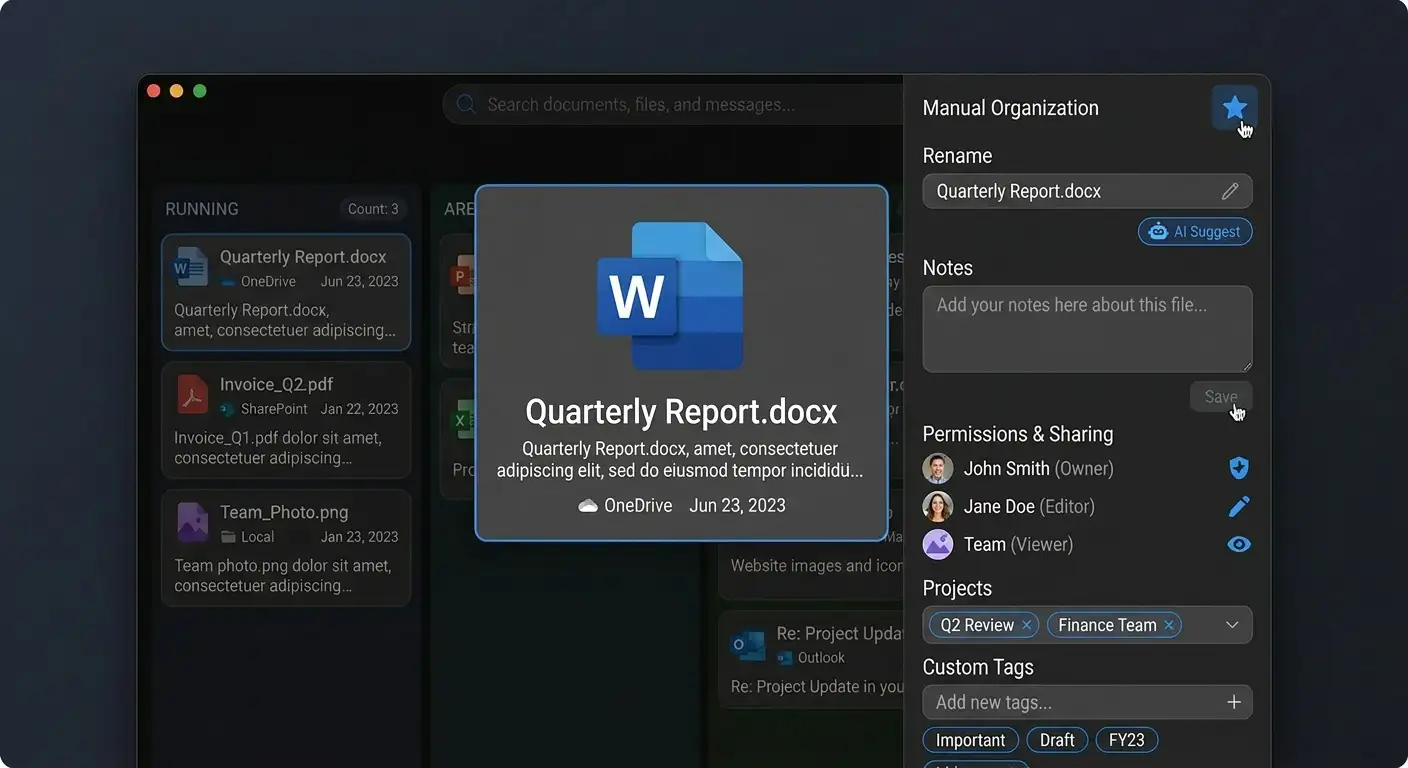
Manual organization
SearchPoint also lets you curate what matters: bookmark or favorite files, rename them yourself or with AI assistance, add notes, adjust permissions, assign items to projects, and keep your own structure on top of automatic grouping.
Where SearchPoint looks
Connect PCs, Microsoft 365, file hosts, code, and messaging.
Security and deployment
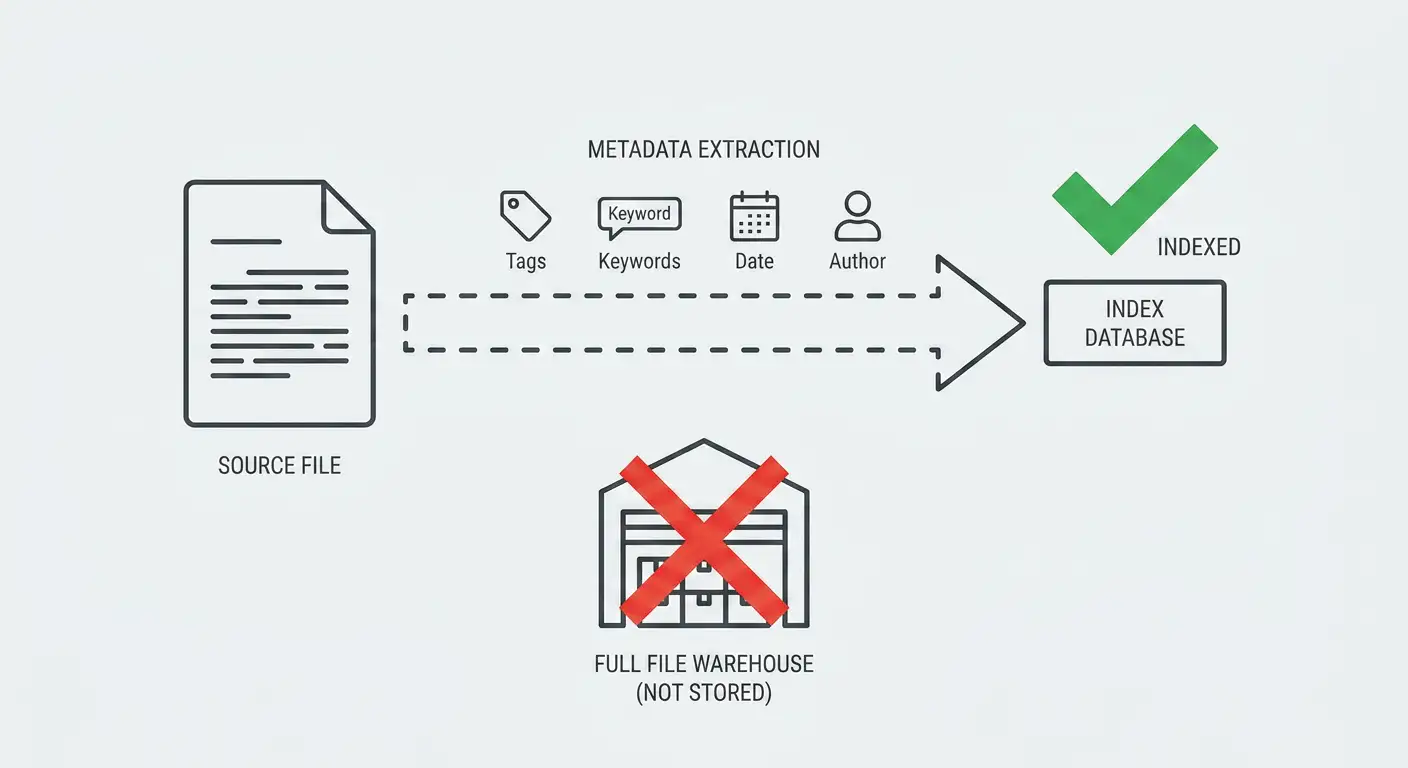
Your files stay where you run them. We do not warehouse full copies on our side.
No warehouse of raw files on our side
We index file metadata and search keywords derived from your content; keywords are sanitized to strip sensitive information under your rules. Full documents and extracted text are not stored on our side—your files stay where you already keep them.
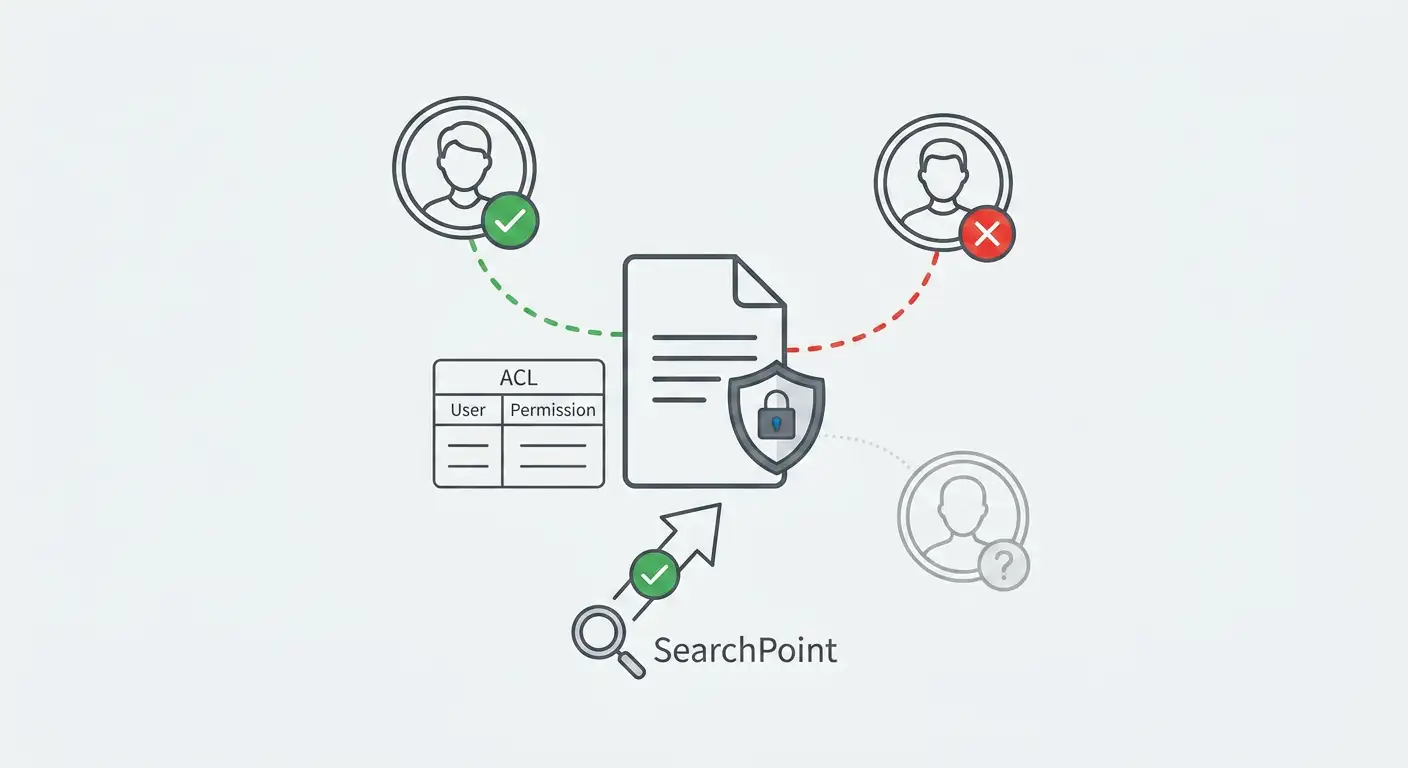
Permissions carry through
Results honor Microsoft 365 ACLs and filesystem rights. If you cannot open it at the source, you CANNOT see it here.
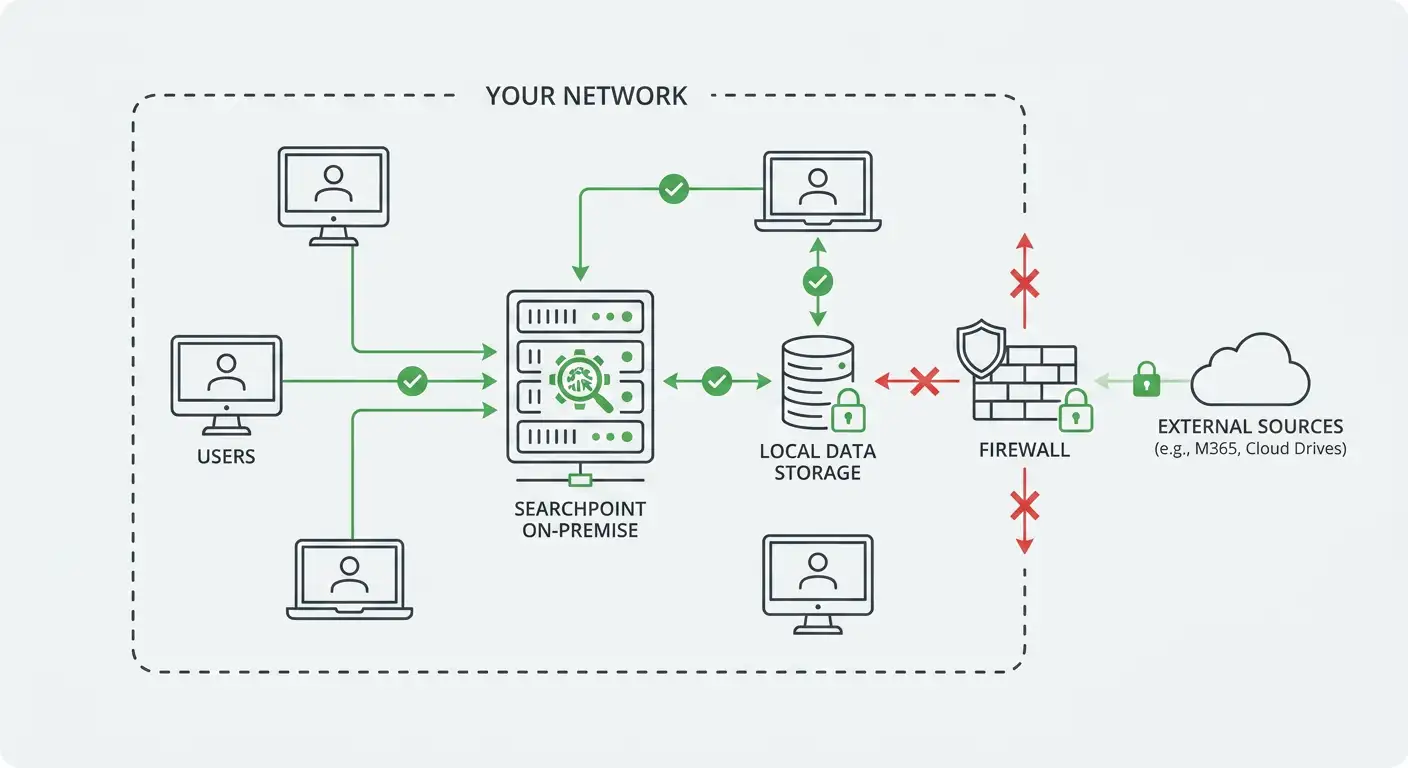
On-premise install
Run SearchPoint inside your network on your hardware and your retention standards. We work with your team to plan capacity and how SearchPoint should be deployed so it fits your environment.
The knowledge layer for AI apps and agents
Ground assistants in the same documents your people already search—not a separate silo.
Large models and agents need fast, trustworthy context. SearchPoint sits underneath them as a retrieval layer: one index across PCs, Microsoft 365, and the connectors you enable, with permissions enforced end to end.
Your copilots, internal bots, and automation can call into that layer so answers stay tied to real files, mail, and chats in your environment—not a generic snapshot of the public web.
Answers you can verify
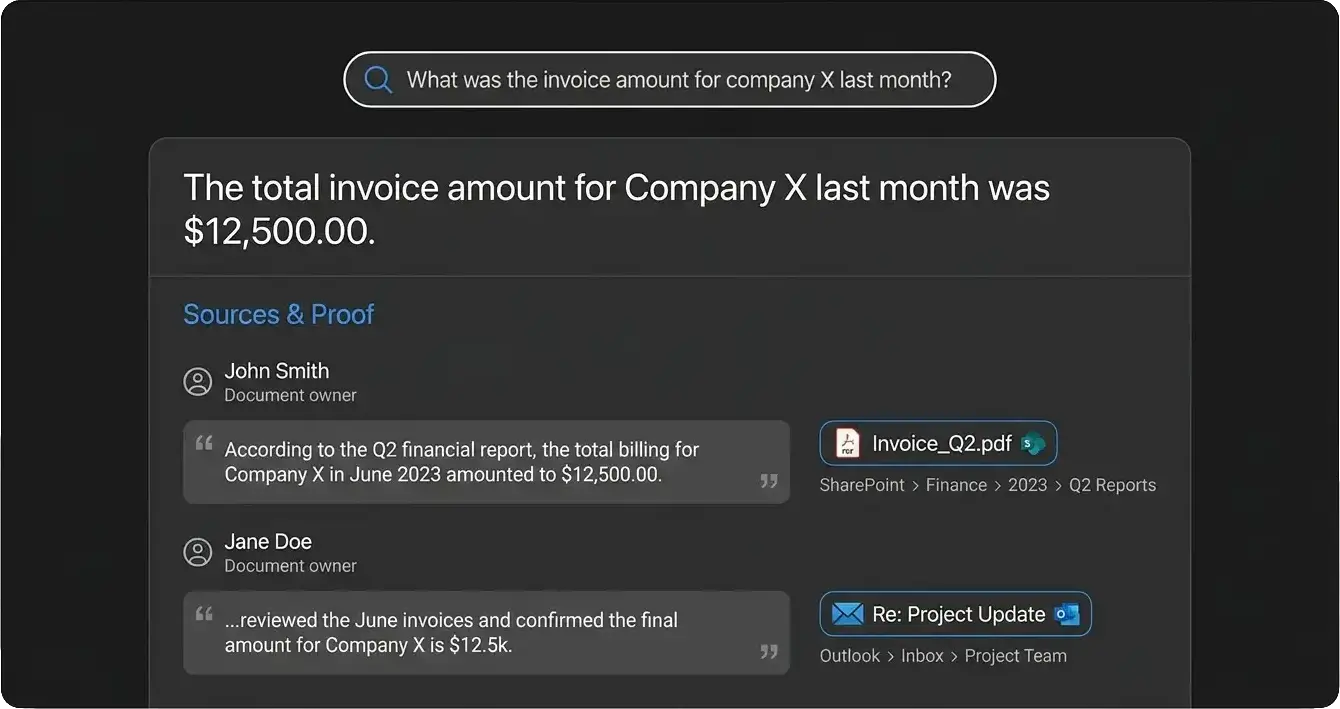
By using SearchPoint's MCP, you can ask in plain language—for example, “What was the invoice amount for company X last month?”—and open the proof: document owners, quoted excerpts, and links to the exact files and folders behind the answer so anyone can re-check the same trail.
Get started
Share your M365 setup and constraints. We’ll respond with a clear next step and a tailored demo.
Email us